Category: Mobile Strategy

Insights on mobile-first growth and engagement

  • The Hidden Cost of Not Having a Mobile App

    The Hidden Cost of Not Having a Mobile App

    When evaluating whether to launch a mobile app, publishers naturally focus on the cost of building one. But there’s a more important question: what is the cost of not having one?

    The Revenue You’re Not Earning

    App users generate more ad revenue per session than mobile web users. The combination of longer sessions, lower bounce rates, and higher ad viewability means publishers with apps see 2–4x the RPM (revenue per mille) on mobile app inventory compared to mobile web.

    For a site with 100,000 monthly mobile sessions, the difference between mobile web RPMs of $4 and app RPMs of $12 is $800/month — or $9,600/year in unrealized revenue.

    The Readers You’re Losing

    Without push notifications, you rely on readers remembering to visit your site, checking email, or seeing your social posts. Each of these channels has declining reach. Meanwhile, every day without an app is a day your most loyal readers are one algorithm change away from never seeing your content again.

    The Competitors Who Moved First

    In every niche, the first publisher to launch an app captures the “default” position on readers’ home screens. Once a reader has a news app, a recipe app, or a sports app they trust, the switching cost is real. Early movers in your niche are building an audience moat while you wait.

    The Brand Equity Gap

    Having an app in the App Store and Google Play signals legitimacy and investment in your audience. It’s the difference between a publication and a website. Readers, advertisers, and sponsors all perceive app-first publishers as more established and more serious.

    Doing the Math

    The cost of PressNative is a fraction of custom development. The cost of not having an app is measured in lost engagement, lost revenue, and lost audience — every month you wait.

    The best time to launch was last year. The second-best time is now.
  • 5 Metrics That Prove Your Readers Want an App

    5 Metrics That Prove Your Readers Want an App

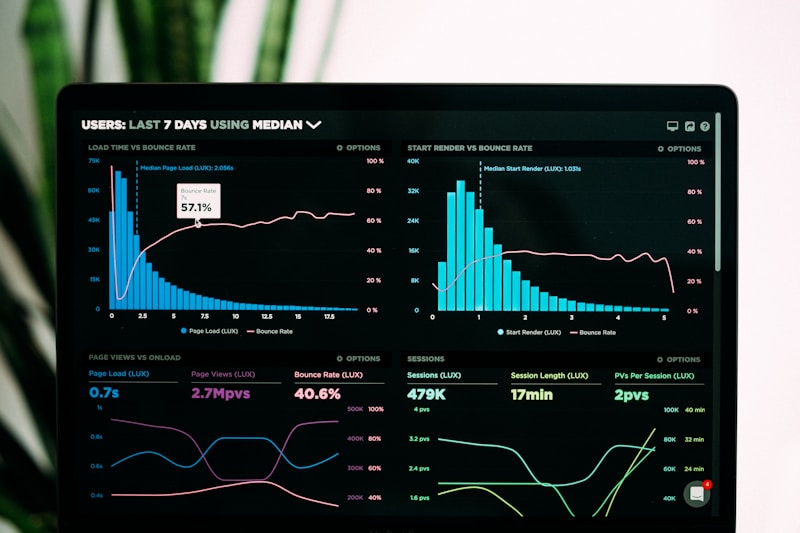
    The decision to launch a native app shouldn’t be based on a hunch. It should be based on data you already have. Here are five metrics from your existing WordPress analytics that signal your audience is ready for an app.

    1. Mobile Traffic Exceeds 50%

    Check your Google Analytics device breakdown. If more than half your sessions come from mobile devices, your audience is already choosing phones as their primary way to consume your content. They’re doing it in a browser because you haven’t given them an alternative.

    2. High Return Visit Rate

    If your returning visitor percentage is above 30%, you have loyal readers who come back repeatedly. These are your app’s first adopters. They’re already committed — an app just makes it easier for them to stay connected.

    3. Email List Engagement Is Declining

    Watch your email open rates over time. If they’re trending downward despite list growth, your audience isn’t disengaged — they’re shifting channels. Push notifications offer a higher-signal alternative to email for content alerts.

    4. Social Referral Traffic Is Unpredictable

    If your traffic from Facebook, Twitter/X, or Instagram swings wildly month to month, you’re at the mercy of algorithm changes. An app with push notifications gives you a direct channel you control, independent of any social platform’s business decisions.

    5. Mobile Bounce Rate Is Higher Than Desktop

    A meaningful gap between mobile and desktop bounce rates (more than 10 percentage points) suggests the mobile experience isn’t meeting user expectations. A native app typically reduces mobile bounce rates by 30–40% because the reading experience is dramatically better.

    What to Do With This Data

    If three or more of these signals are present, your audience is telling you something. They want your content on their terms — fast, native, and always accessible from their home screen. The question isn’t whether to launch an app. It’s how soon.

  • Mobile-First vs. Mobile-Friendly: Why the Distinction Matters

    Mobile-First vs. Mobile-Friendly: Why the Distinction Matters

    When WordPress theme developers say “mobile-friendly,” they mean the layout rearranges itself on small screens. Columns stack. Fonts scale. Menus collapse into hamburger icons. The content is technically accessible on a phone.

    But accessible isn’t the same as optimal.

    The Responsive Compromise

    Responsive design was a massive step forward when Ethan Marcotte coined the term in 2010. It solved the “can you read it on a phone” problem. But it didn’t solve the “does it feel good on a phone” problem.

    A responsive WordPress site on mobile still:

    • Loads the full desktop payload (JavaScript, CSS, fonts, images) then hides what doesn’t fit
    • Relies on browser rendering with no access to native gesture systems
    • Offers no persistent presence on the home screen
    • Cannot send push notifications (web push has limited iOS support and low adoption)
    • Fights for attention against every other browser tab

    What Mobile-First Actually Means

    Mobile-first means the phone experience is the primary design target, not an afterthought. It means native scroll physics, haptic feedback, platform-standard navigation patterns, and performance that matches the apps users spend 90% of their phone time in.

    Users don’t compare your mobile website to other websites. They compare it to Instagram, their banking app, and their news reader. That’s the bar.

    Bridging the Gap

    You don’t need to abandon WordPress to go mobile-first. PressNative lets you keep your existing content management workflow while delivering a genuinely native experience on iOS and Android. The app renders your content with platform-native components — not a WebView wrapper pretending to be native.

    Your readers get an app that feels like it belongs on their phone. You get to keep publishing in WordPress. That’s what mobile-first looks like for publishers in 2026.

  • Push Notifications: The Engagement Channel You’re Ignoring

    Push Notifications: The Engagement Channel You’re Ignoring

    Every publisher has an email list. Most have social accounts. But how many have a push notification channel? If your answer is “not us,” you’re leaving your most powerful engagement tool on the table.

    The Numbers Tell the Story

    Average email open rates hover around 20% and continue to decline year over year. Social media organic reach has cratered — Facebook pages now reach 2–5% of their followers per post. Meanwhile, push notifications see 40–60% open rates on mobile, with most users engaging within minutes of delivery.

    The difference is context. Email arrives in a crowded inbox hours after you send it. Social posts compete with an algorithmic feed. A push notification arrives on a lock screen at the moment you choose, with a direct tap to your content.

    What Makes Push Effective for Publishers

    Immediacy: Breaking news, new post alerts, and time-sensitive content reach readers in seconds, not hours. For news publishers, this is transformative.

    Opt-in quality: Push subscribers are your most engaged users — they chose to install your app and accept notifications. This audience self-selects for loyalty.

    No intermediary: Unlike social media or email, there’s no algorithm between you and your reader. Every subscriber sees every notification you send.

    Push Done Right

    Effective push notifications follow three principles:

    1. Be relevant. Not every post warrants a push. Reserve notifications for your best content, breaking stories, and genuine value.
    2. Be timely. Send during your audience’s active hours. A notification at 2 AM builds resentment, not engagement.
    3. Be respectful. One to three notifications per day maximum. More than that and uninstall rates spike.

    How PressNative Makes It Easy

    PressNative’s push notification system lives in your WordPress dashboard. Send to all subscribers or target by platform (iOS/Android) and engagement recency. Track delivery and opens in the analytics dashboard. Optionally, auto-notify on every new publish.

    Your readers installed your app because they value your content. Push notifications are how you honor that relationship with timely, relevant delivery.

  • Why Your WordPress Site Needs a Native Mobile App in 2026

    Why Your WordPress Site Needs a Native Mobile App in 2026

    If you run a WordPress site with a loyal audience, you’ve probably noticed a shift. More than 60% of your traffic comes from mobile devices, yet your mobile bounce rate is higher than desktop, session durations are shorter, and return visit rates are lower.

    This isn’t a content problem. It’s a delivery problem.

    The Mobile Browser Tax

    Mobile browsers impose invisible costs on every visit. Your carefully crafted post competes with thirty open tabs, a cluttered bookmark list, and zero way to bring readers back once they leave. There’s no push notification. No home screen icon. No offline reading. No native scroll performance.

    Even with a fast theme and optimized images, you’re fighting the browser itself.

    What Native Apps Change

    A native app puts your brand on the home screen — the most valuable real estate on any device. It delivers push notifications that cut through the noise with 4–7x the click-through rate of email. It loads content instantly with native rendering instead of parsing HTML and CSS on every visit.

    For publishers, the metrics speak for themselves:

    • 3x longer session durations compared to mobile web
    • 2x higher return visit rates within 7 days
    • 4–7x push notification engagement versus email open rates
    • 40% lower bounce rates on article pages

    The Cost Barrier Is Gone

    Historically, native apps cost $50,000–$200,000 and months of development. That priced out every publisher except the largest. PressNative changes the equation: install a WordPress plugin, configure your branding, and your native app is ready for the App Store and Google Play.

    Your content stays in WordPress. The app updates in real time. No rebuilds, no resubmissions, no developer dependency.

    The Bottom Line

    If your WordPress site has an audience worth retaining — whether that’s 1,000 readers or 1,000,000 — a native app is no longer a luxury. It’s the difference between renting attention in a browser and owning the relationship on a home screen.