Category: Product Updates

New features, improvements, and platform news

  • New: Real-Time Analytics Dashboard for Your App

    New: Real-Time Analytics Dashboard for Your App

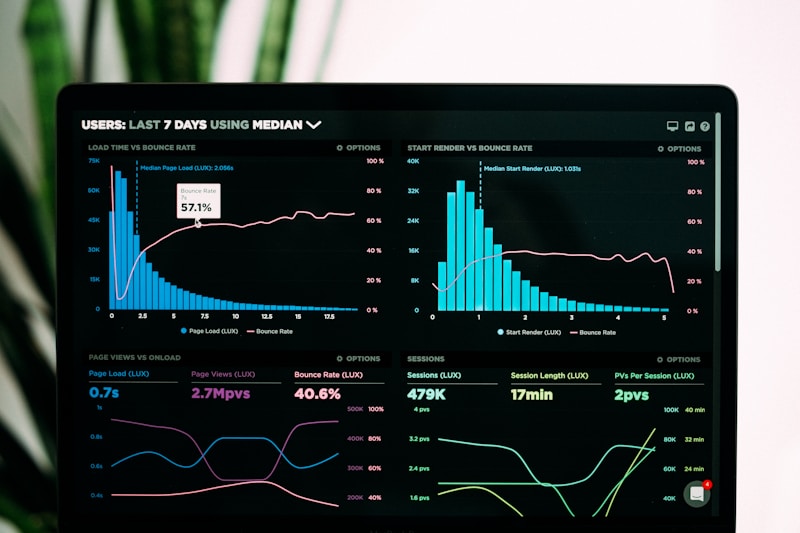
    Understanding how your audience uses your app shouldn’t require a separate analytics platform. Today we’re launching the PressNative Analytics Dashboard, built directly into your WordPress admin panel.

    What You Can Track

    The dashboard provides a comprehensive view of your app’s performance:

    Key Performance Indicators

    • Total app downloads (favorites)
    • Total views across all content types
    • Push notification delivery and engagement
    • Active subscriber count by platform

    Content Performance

    • Top posts by view count
    • Top pages by view count
    • Top categories by view count
    • Most-searched queries

    Audience Insights

    • Views over time (daily or weekly grouping)
    • Content type breakdown (posts, pages, categories)
    • Device breakdown (iOS vs. Android)

    Date Range Flexibility

    View data for the last 7, 30, or 90 days. All charts and tables update dynamically when you change the range.

    Privacy by Design

    PressNative analytics are fully anonymous. We track content views and device types — never user identities. There are no cookies, no user accounts required, and no personal data collected. Your readers’ privacy is protected by default.

    Getting Started

    The analytics dashboard is available now under PressNative → Analytics in your WordPress admin. Data begins populating as soon as users interact with your app. No configuration required.

  • Theme Customization: Make Your App Uniquely Yours

    Theme Customization: Make Your App Uniquely Yours

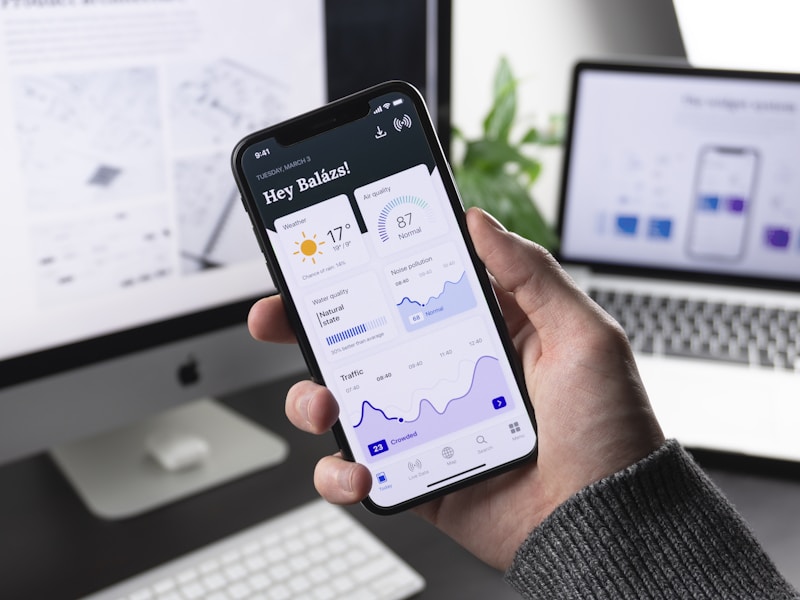
    Your app should look like your brand, not a generic template. Today we’re detailing the branding and theme customization system in PressNative.

    Theme Presets

    Start with one of six curated presets designed for different aesthetics:

    • Editorial: Serif typography with a classic newsmagazine palette. Warm, authoritative, and readable.
    • Midnight: A premium dark mode experience with high-contrast accents.
    • Citrus: Vibrant greens and warm tones for lifestyle and wellness content.
    • Ocean: Cool blues and grays for a calm, professional feel.
    • Minimal: Black and white simplicity that puts content first.
    • Custom: Start from scratch with your own color palette.

    Full Customization

    Every preset is a starting point. You can customize:

    • Primary color: Used for headers, buttons, and navigation
    • Accent color: Used for links, highlights, and interactive elements
    • Background color: The canvas your content sits on
    • Text color: Body text and secondary content
    • Font family: Sans-serif, serif, or monospace
    • Base font size: 12px to 24px
    • Logo: Upload from your WordPress media library

    Accessibility Built In

    As you adjust colors, PressNative validates your choices against WCAG AA contrast ratios in real time. If your text color doesn’t have sufficient contrast against your background, you’ll see a warning before you save. Accessibility isn’t an afterthought — it’s enforced by the tool.

    Live Preview

    Every change you make is reflected in a live device frame preview showing how the app looks on both iPhone and Android. Adjust, preview, and save — your app updates on the next user launch.

  • Introducing PressNative: WordPress to Native App in Minutes

    Introducing PressNative: WordPress to Native App in Minutes

    Today we’re launching PressNative, a platform that turns any WordPress site into a native mobile app for Android and iOS.

    Why We Built This

    We spent years building custom native apps for publishers. The process was always the same: months of development, tens of thousands of dollars, and a product that immediately fell out of sync with the WordPress site it was supposed to mirror.

    Every publisher we worked with asked the same question: “Why can’t the app just pull from WordPress?”

    Now it can.

    How It Works

    PressNative consists of three parts:

    1. A WordPress plugin that exposes your content, branding, and layout through a structured REST API
    2. Native app shells built with Jetpack Compose (Android) and SwiftUI (iOS) that consume the API and render everything natively
    3. A Registry service that handles push notifications, analytics, and app management

    You install the plugin, configure your branding and layout in the WordPress admin, and your app is ready. Content syncs in real time. No code changes. No app store resubmissions.

    What’s Included

    • Native performance: 60fps rendering with Jetpack Compose and SwiftUI — no WebView wrappers
    • Push notifications: Send from your WordPress dashboard, target by platform and engagement
    • Customizable branding: Theme presets or fully custom colors, typography, and logo
    • Flexible layouts: Hero carousel, post grid, category navigation, page lists, ad placements
    • Built-in analytics: Views, top content, device breakdown, push engagement
    • Live preview: See your app in iPhone and Android device frames before going live

    Who It’s For

    PressNative is for any WordPress site with an audience worth retaining: news publishers, bloggers, community organizations, churches, local businesses, niche content creators. If you have readers who come back, they deserve a better experience than a mobile browser can offer.

    We’re excited to put this in your hands. Install the plugin and see your content in a new light.